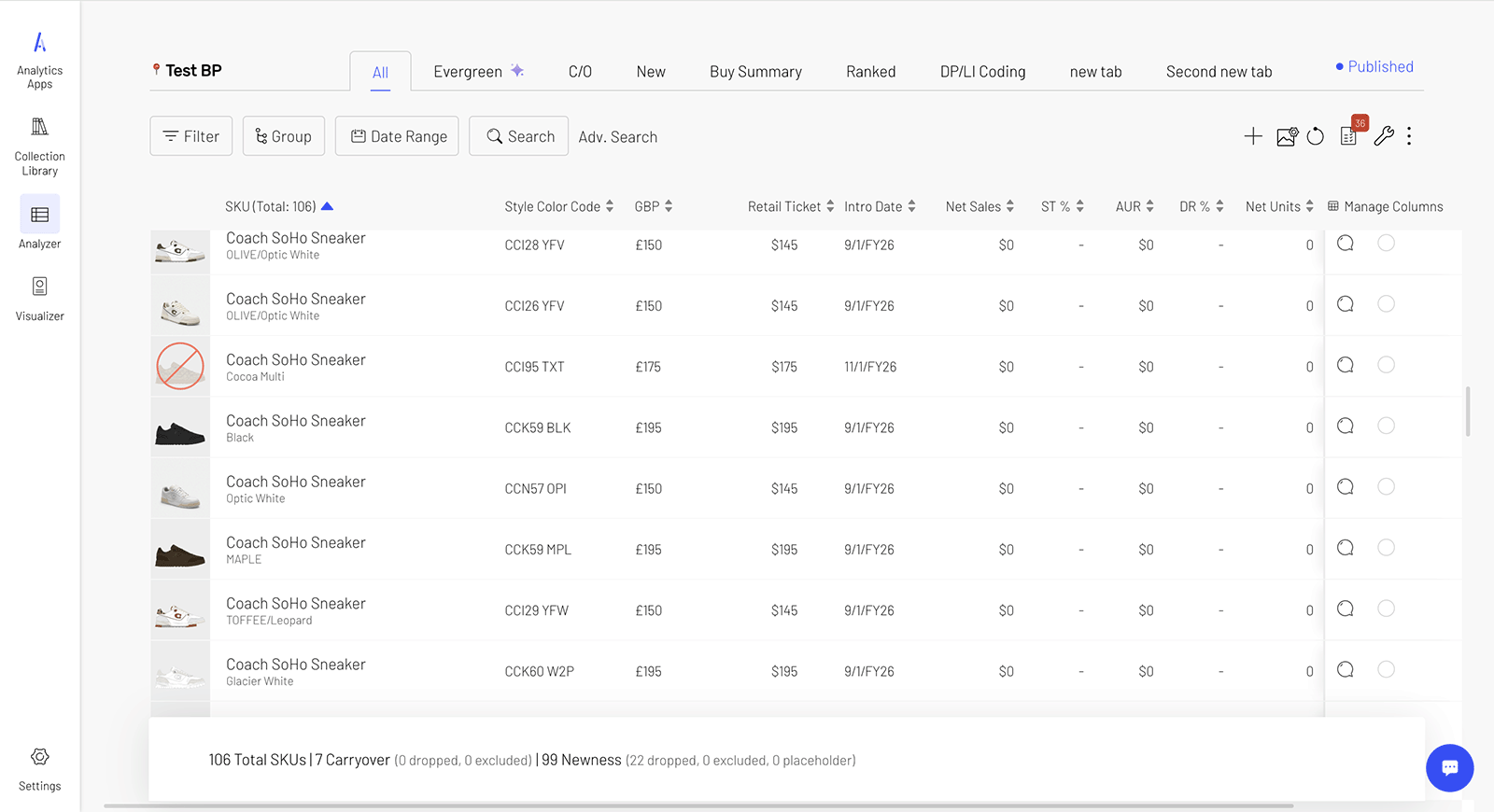
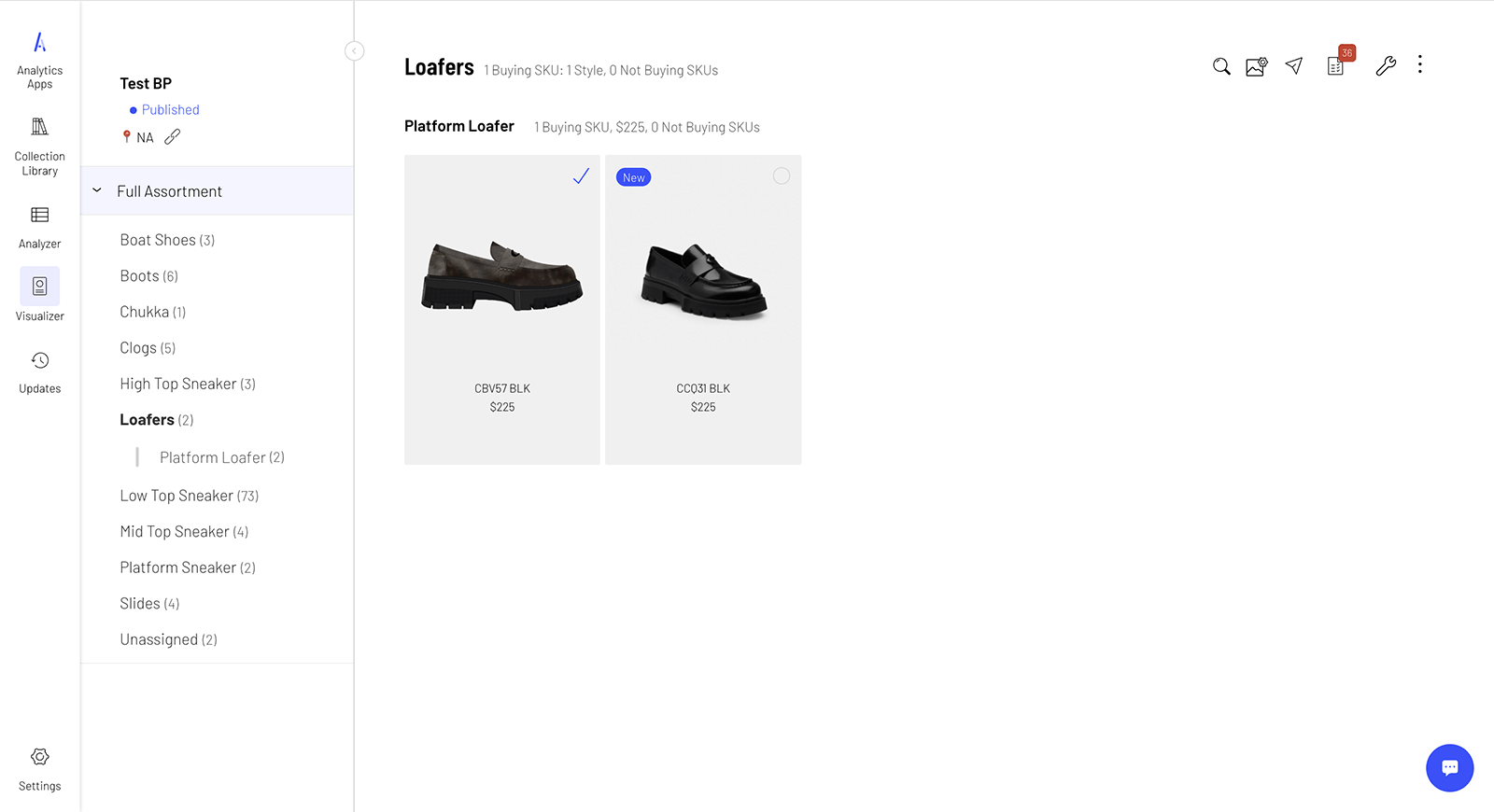
Screenshots of the Collection Curator platform. On the left is Analyzer, while on the right is Visualizer
Collection Curator is in an in-house platform at Tapestry that allows for departments all along the merchandising pipeline to collaborate with each other. It supports creating SKU (stock-keeping unit) lists, visual assortments, and a host of data analytics features.
Currently, Collection Curator is being used by the buying, merchandising, and wholesale departments at Coach and Kate Spade. This means that it currently assists users to create SKU assortments leading to over $5 billion dollars in sales.
This particular feature helps users gain more control over their assortments by allowing them more freedom in how to categorize SKUs.
Please contact me to see an in-depth case study of this feature.
Collection Curator has two main ways of looking at a collection of SKUs. In "Analyzer", users can see SKUs as a list, with data points associated with each SKU. Users can customize the columns to see different figures. In "Visualizer", users can group SKUs by folder, pages and groups. This allows for users present the visual rationale for how they're thinking about SKUs to leadership.
I've been working on Collection Curator from its wider launch as a platform to now, so I've been able to familiarize myself with issues on the platform that crop up over and over again. We work very closely with our users and maintain constant communication, so we're able to be very close to what they need from the app.
Because Collection Curator pulled directly from databases that don't have that kind of user-created information, users still have to maintain massive Excel sheets in order to have the kind of precise control over SKU categorization that they needed. Users would need to ask the developers to add new tags like "Gen Z" every time there was a new strategy.
How can we give Collection Curator users greater flexibility in the assortment tiering, attributes, and groupings that they see in their collections? Users want greater customization and flexibility to aid in their workflows and decision making.
Note: assortment tiers/door profiles refers to how merchandisers will assign certain SKUs to go to certain stores based on what they think will sell.
As guiding themes, we landed on the following goals for this project:
Custom Assortment Tiers & Attributes
· Enable users to input new door profiles and tags specific to their teams
· Changes should reflect in collections for their teams
Custom Groups
· Enable users to create custom columns in Analyzer
· Support filtering, grouping, and sorting by custom columns
· This project goal was eventually pulled out of scope, but we did make designs for later
Design Flexibility
· Support global-level customizations amongst teams to maintain consistency
· Support free association (not bound automatically to user roles/regions)
Data Governance
· Ensure unique identifiers to avoid duplicates
· Soft deletes only to ensure data continuation
After speaking extensively with users as well as reviewing the current features in the app, we decided to focus on designing for the following main user flows:
Create and Edit Custom Libraries
Custom tags and door profiles are grouped together by custom libraries, which would be a whole new modal in Collection Curator. Custom libraries let the users know which custom attributes are appropriate for their role; for example, the North America Merchant team will have a "NA Merchant" custom library. Users should be able to create custom libraries and freely add tags/door profiles to them.
Create and Edit Tags Inside a Collection
Users should be able to create and edit tags in the context of a collection, to make this feature as convenient as possible. An example of how this would be used: an outlet buyer can be organizing their collection, and create a tag for "Valentine's Day" while in Visualizer.
Create and Edit Door Profiles Inside a Collection
Users should also be able to create and edit door profiles in the context of a collection. An example: a wholesaler would be able to create a "Nordstrom" door profile seamlessly within Analyzer, to indicate which SKU will go to which department store.
User Settings
If users wanted to add or clear a custom library to their collection, they can do so in the User Settings modal. This User Settings modal was also used to address some design debt by aggregating certain features that were similar into one area.
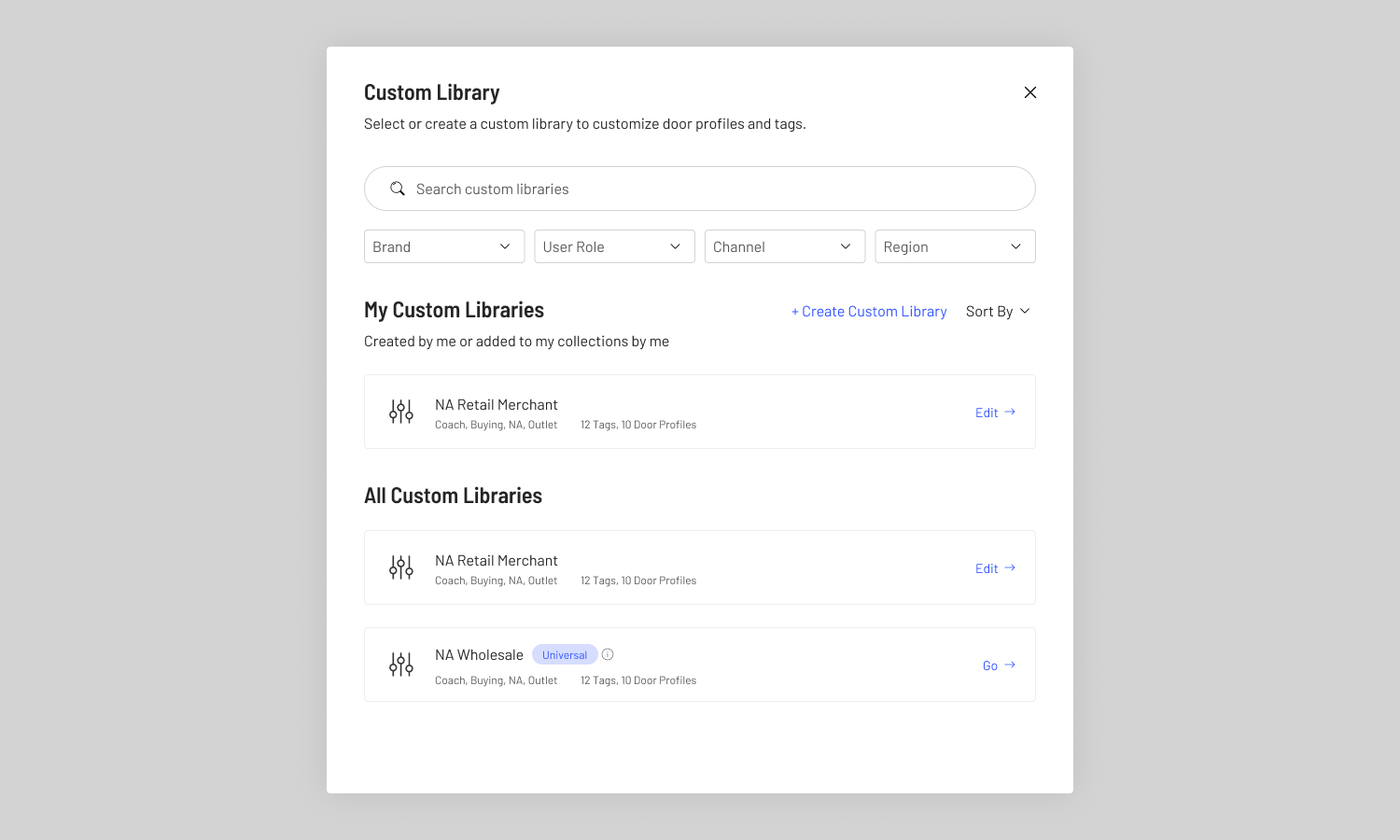
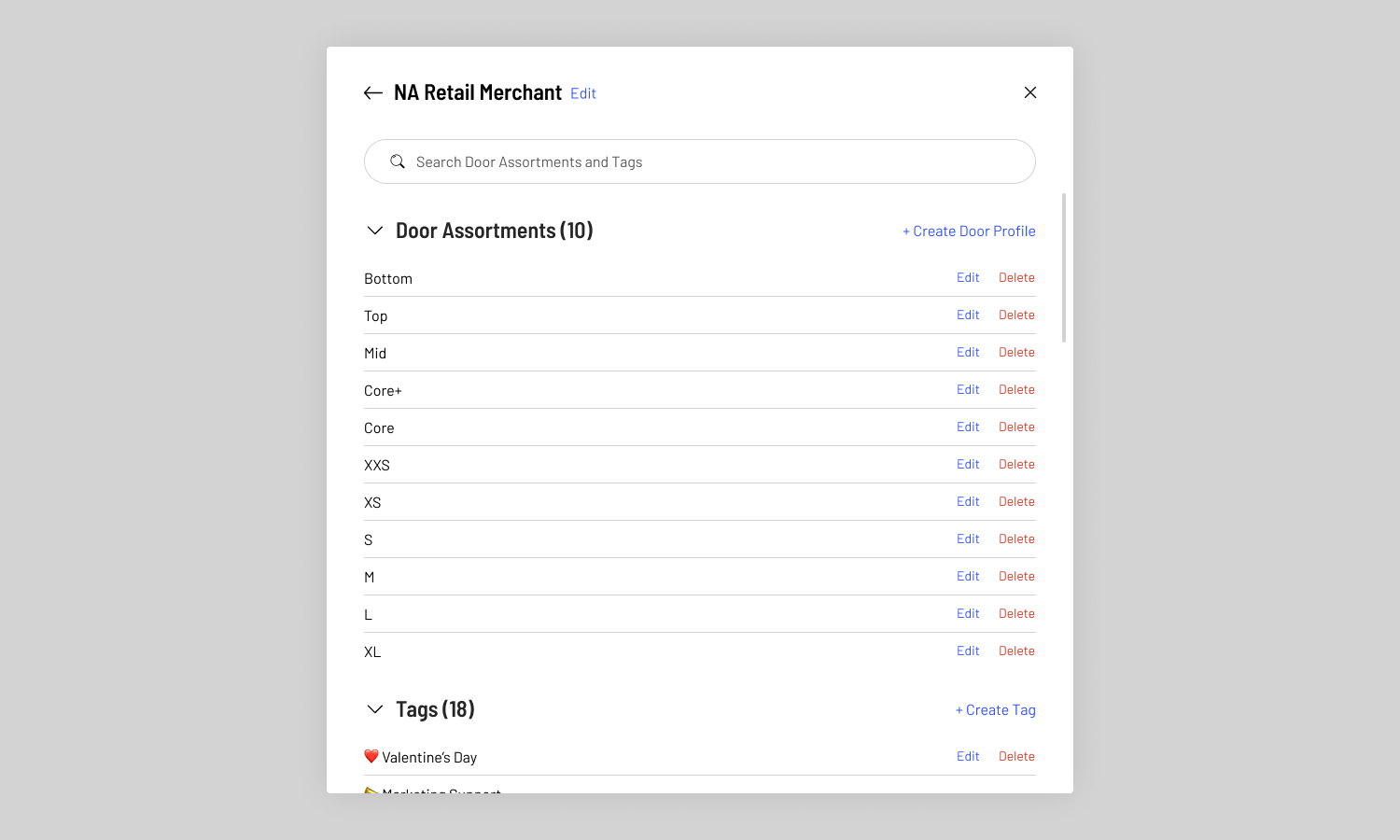
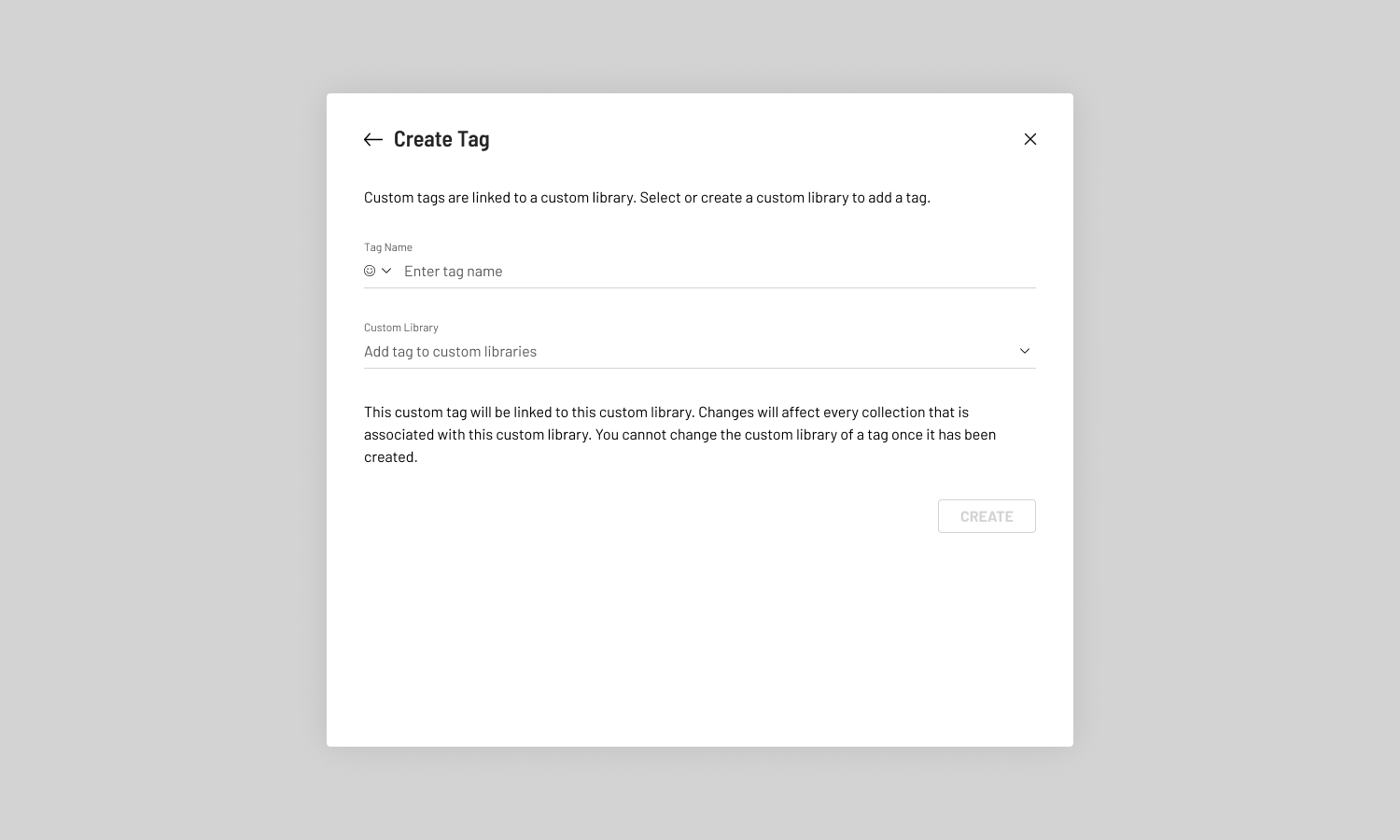
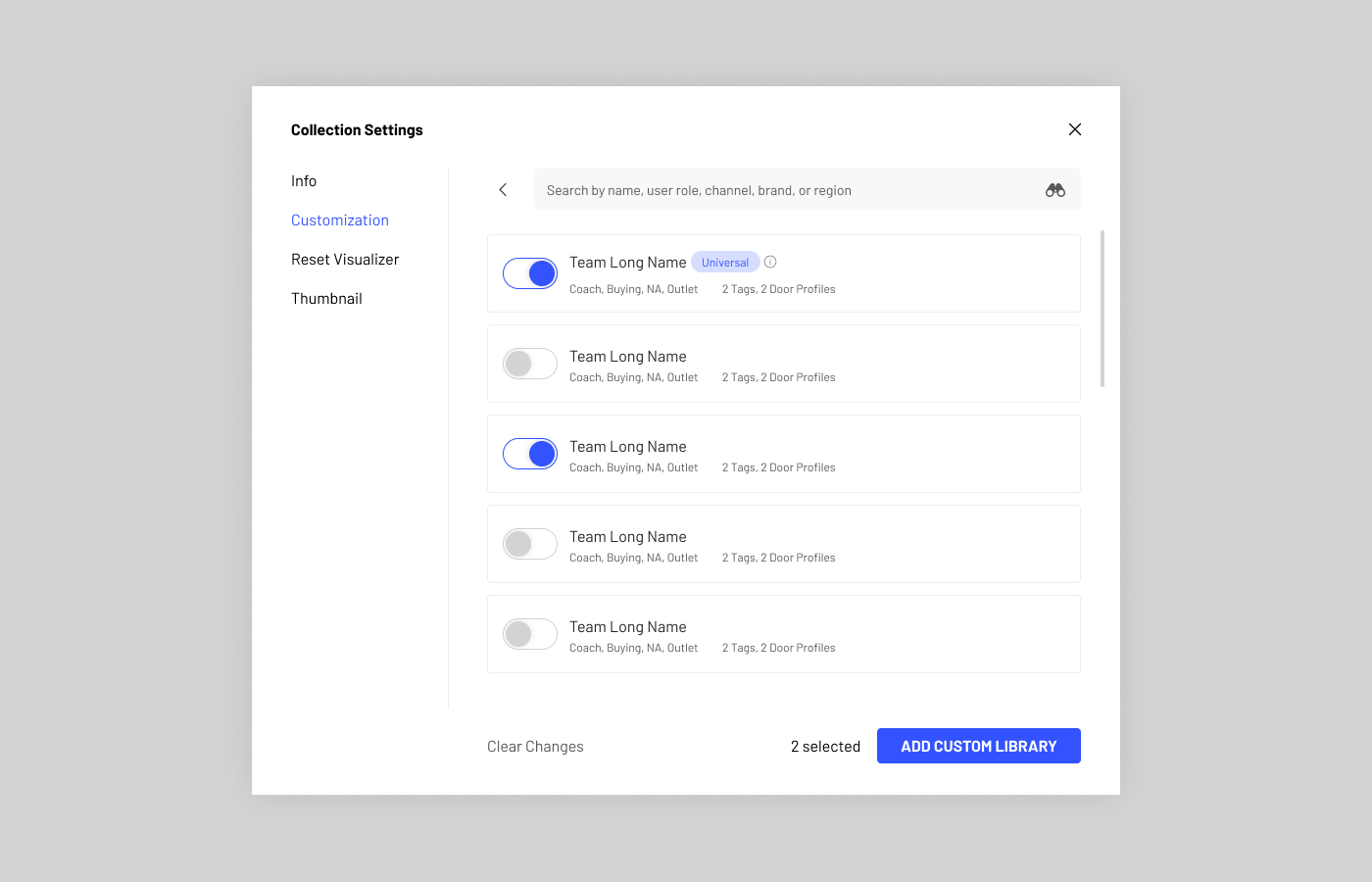

We got started by talking to users extensively about how they use custom attributes in their current workflow. One challenge with our user group is that since Tapestry's adoption of standardized apps is relatively new, different teams throughout the company have completely different ways of working. Thus, it was our job to reconcile all the different use cases, as well as account for edge cases that may crop up.
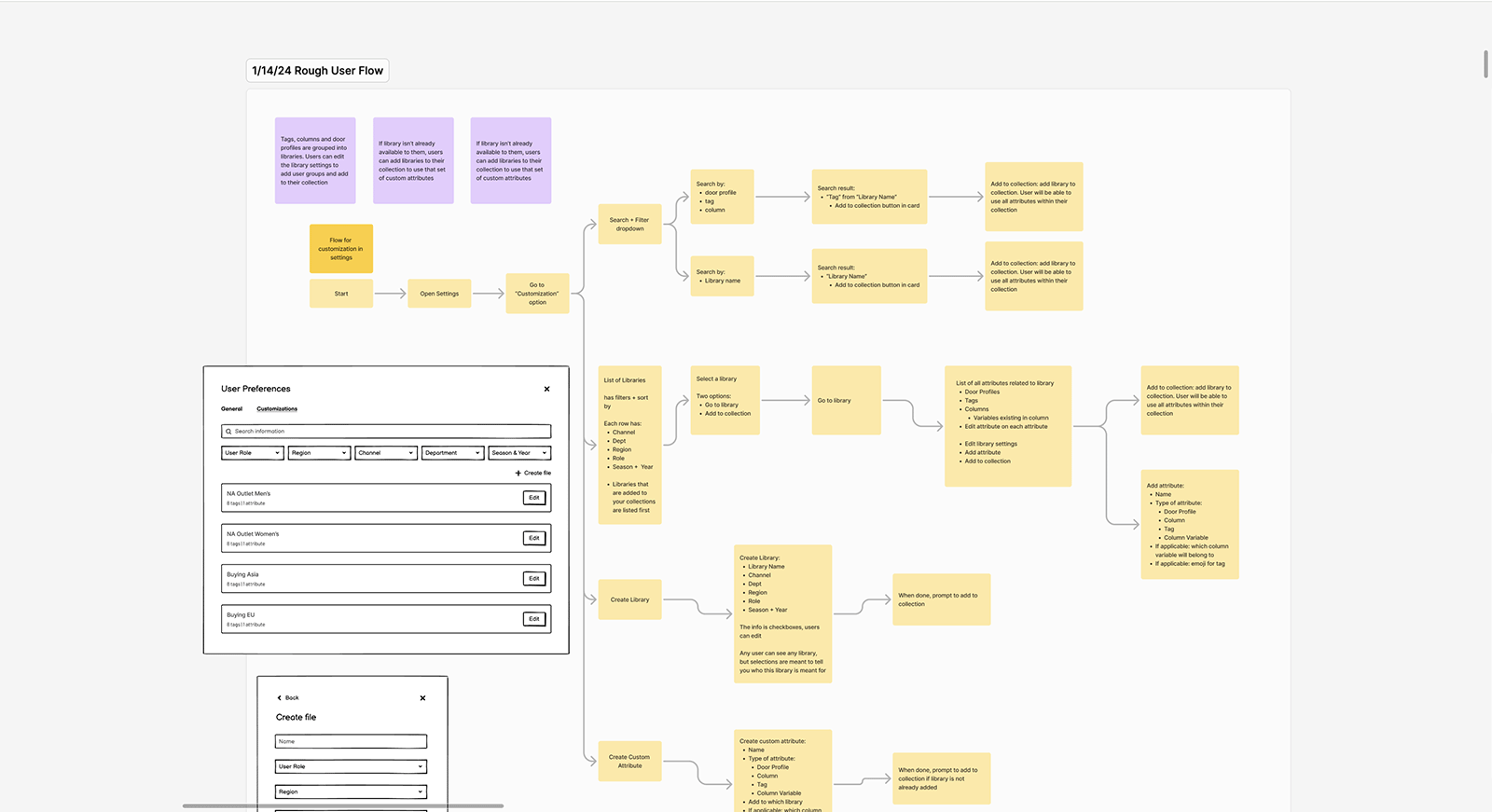
After analyzing our interview notes, we started brainstorming and making extensive user flows on Miro. As a team, we talked through the benefits and drawbacks of certain approaches, as well as how to address challenges.
The bulk of the work in this feature was not the designs, but figuring out how this new feature would work. Since Collection Curator is already a mature platform that Tapestry depends on, it was critical that we considered data governance in our designs. To this end, we spent a lot of time with engineers and product managers discussing nitty-gritty details.
For example, we decided that all of the custom tags, door profiles, and columns made should only be able to be soft deleted. If a user deletes a tag, past uses of the tag will be shown, but they can't use it going forward. This is to prevent error or blanks when looking at past collections.
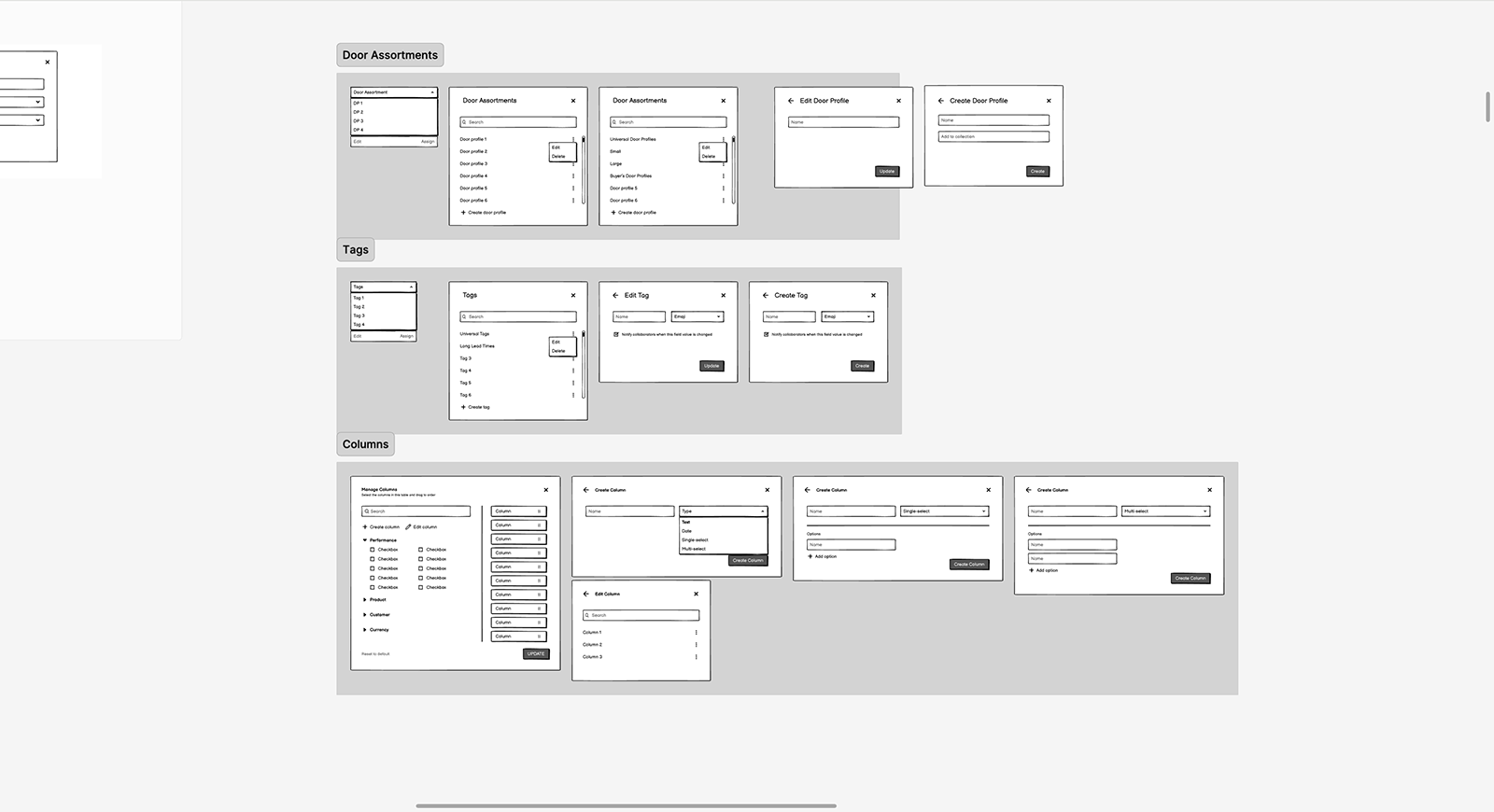
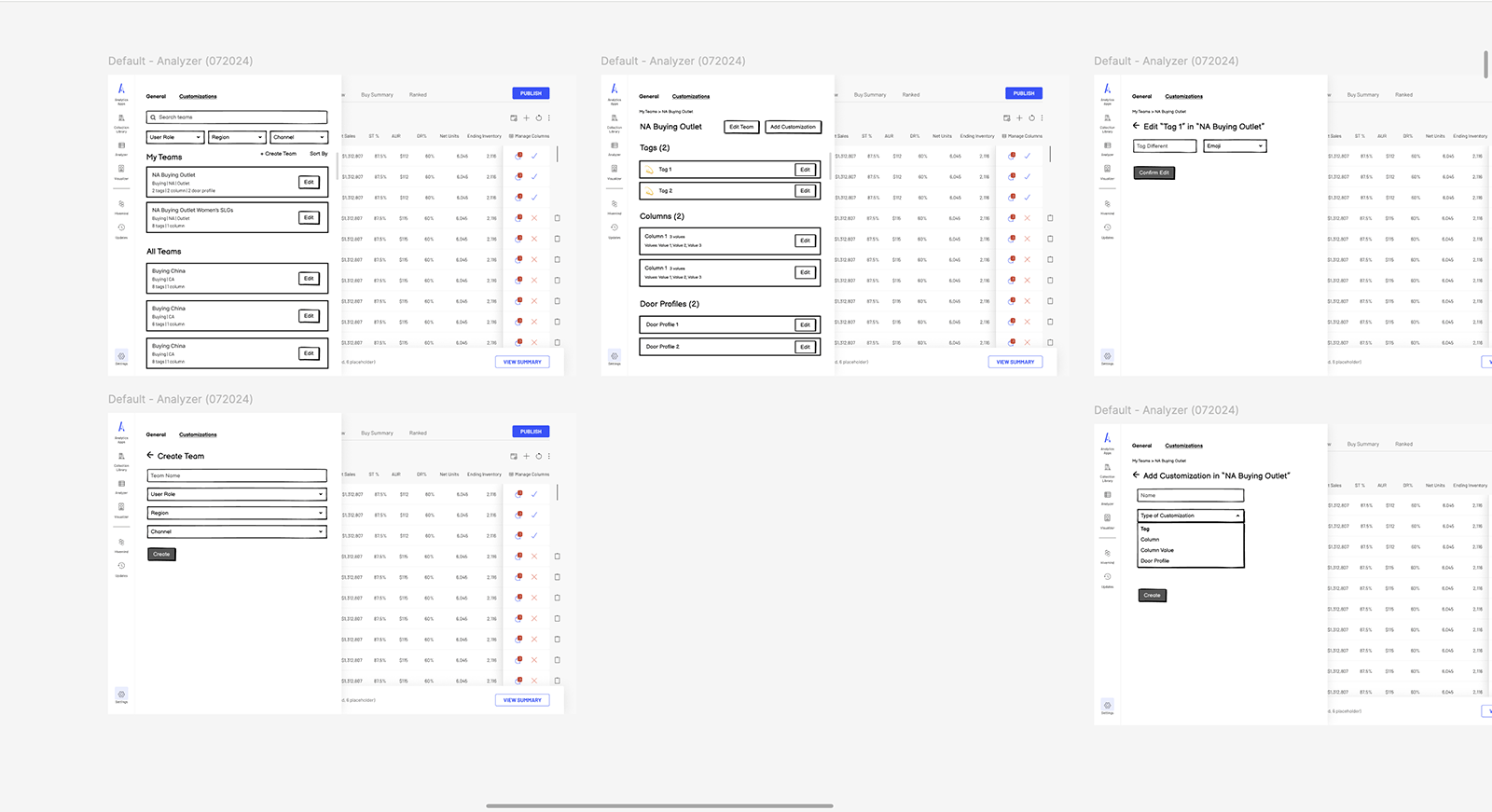
Once we settled on a rough user flow, we moved on to wireframes, and then on to hi-fi prototypes. We showed our lo-fi and hi-fi prototypes to stakeholders and users at regular intervals, to ensure that what we designed suited their needs. For our users, we put together usability tests with prototypes to see how well our designs accomplished our goals. After many rounds, we got alignment from product, users, and engineers and settled on our final designs.
Part of my role in this project was maintaining extensive documentation, so that there would be a handy reference for engineers. Of course, this is not a novel idea at all in software development, but in the past, our team has not had great (or any) documentation due to how fast we were expected to make features. On this project, I took it upon myself to rectify that, so that there was less confusion later on.
This project is now currently live on Collection Curator, and has enabled teams to finally manage their own attributes for their workflow.